oprs_payroll_system
Open payroll management system
oprs_payroll_system
Open payroll management system
Purpose of the project
The project is aiming to grant a platform for the management of payrolls. It is a web application that allows the management of payrolls but also gives a set of features that faciliate daily tasks.
Technologies









Architecture
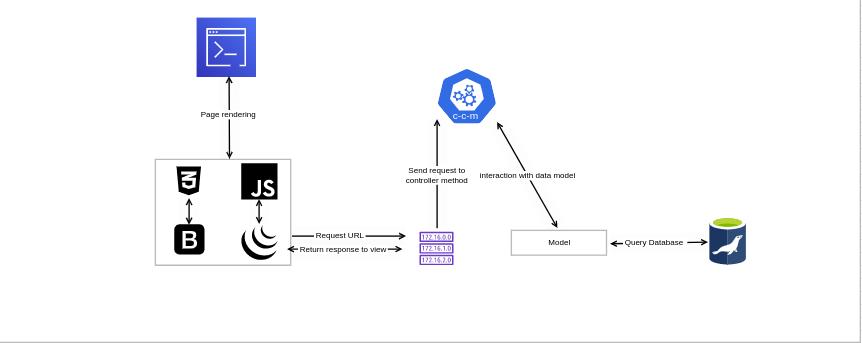
Site map
.png)
Users
Two users are defined:
- Administrator
- Employee
Admin features
The project has the following features:
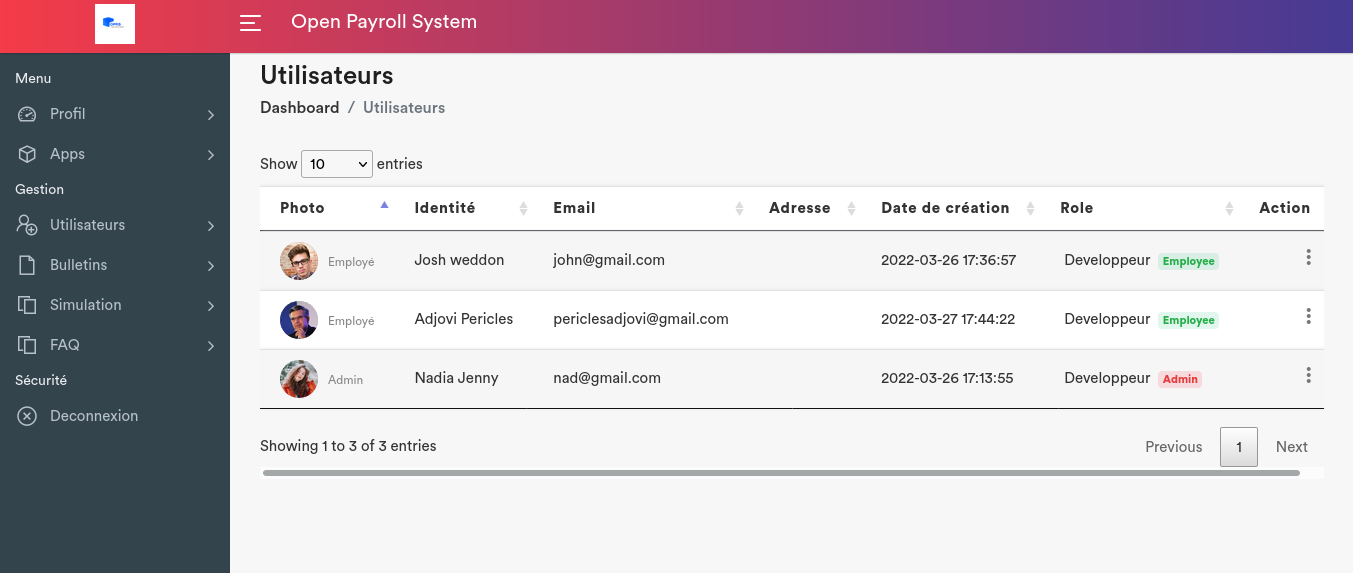
- User management: It allows the management of users via (creation/update/deletion).
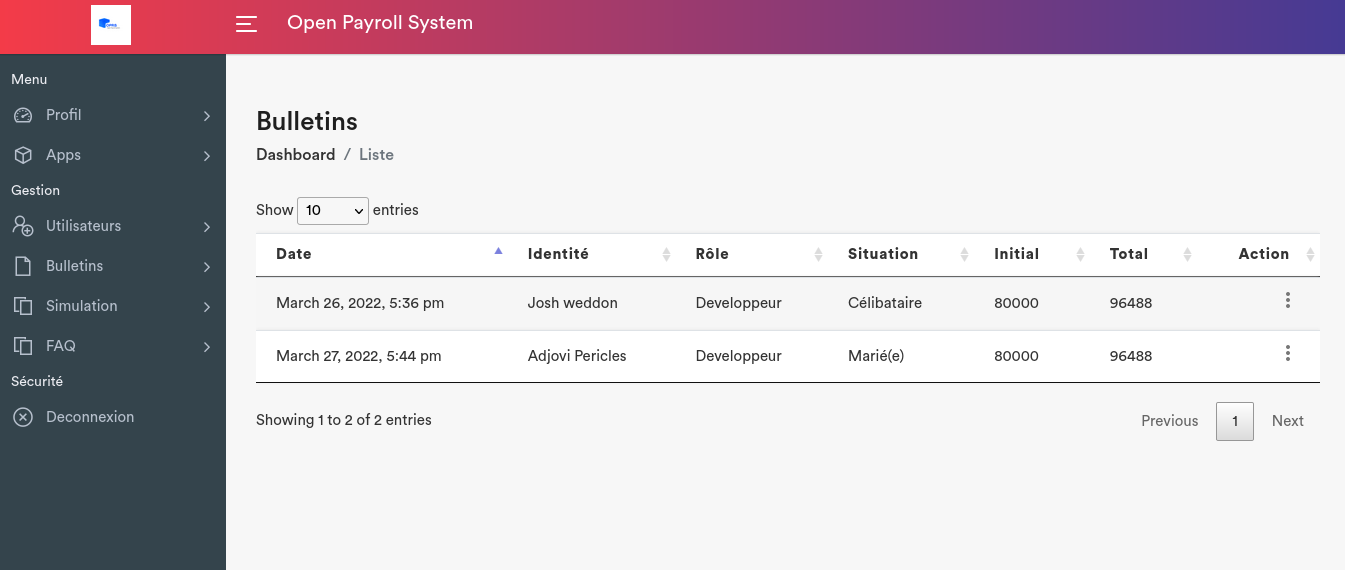
- Payroll management: It allows the management of payrolls(creation/update/deletion).
- Budget generation: It allows the generation of budgets .
- Budget management: It allows the management of budgets (deletion) .
- Leaves management: It allows the management of employees leaves .
- Faq management: It allows the management of frequently asked questions (creation/update/deletion).
Employee features
- Payroll visualisation: It allows the employee to view his payrolls at each generation.
- Payroll simulation: It allows employee to generate a payroll based on his/her current salary and a future date.
- Events management: It allows employee to manage his/her events with a calendar .
- Task management: It is a feature that allows employee to manage his tasks todo in a day more accuretely.
- Chat: It allows employee to chat with other employees.
- Leaves visualisation: It allows employee to ask or view his/her leaves.
Login page
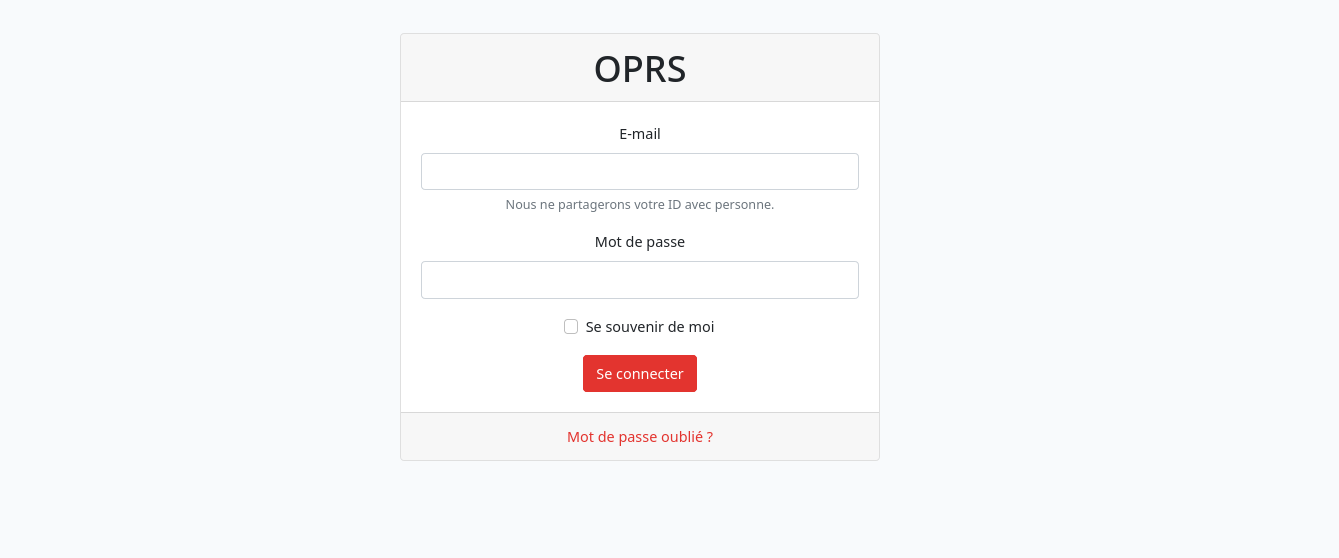
Welcome page
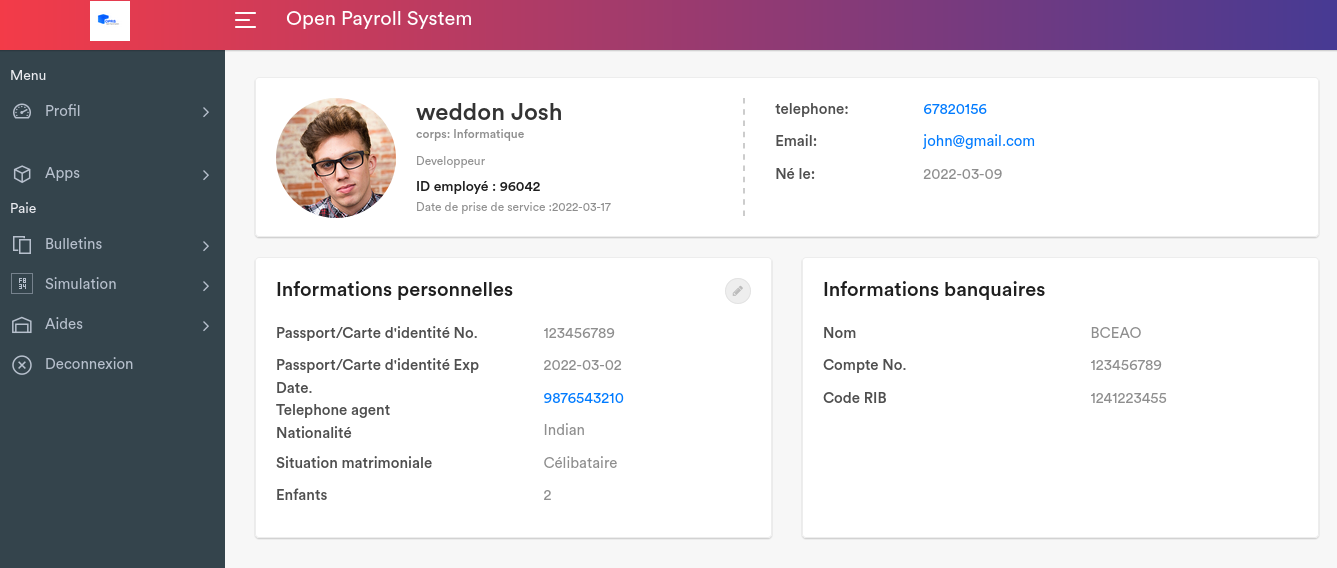
Profile update page
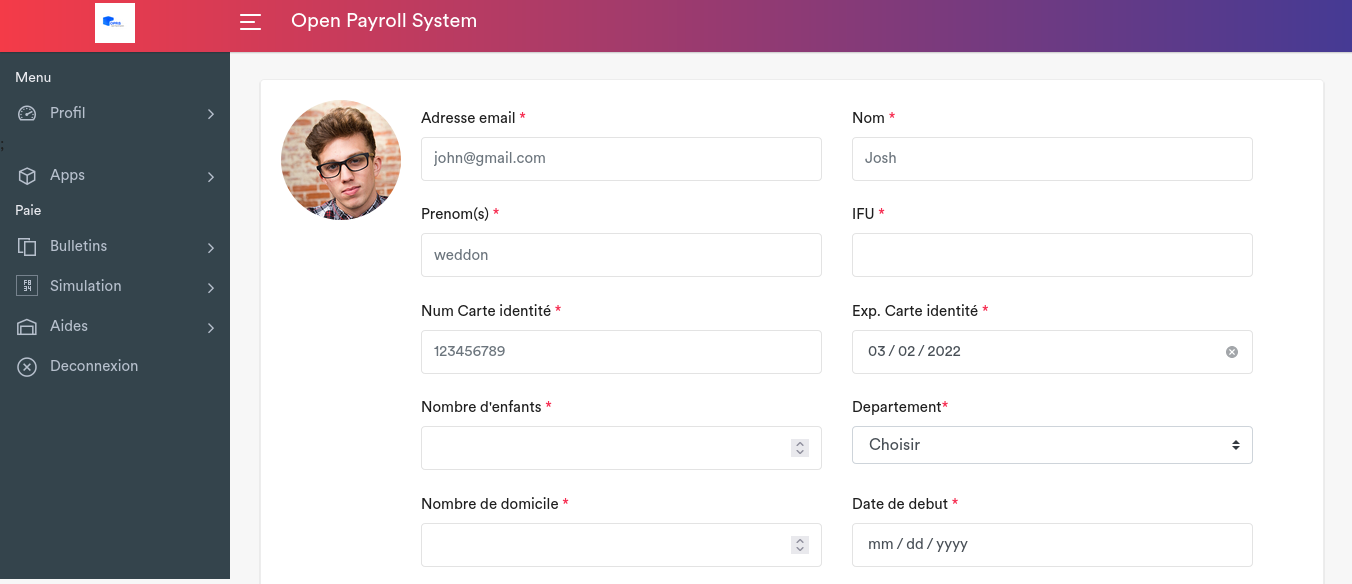
Employee creation page
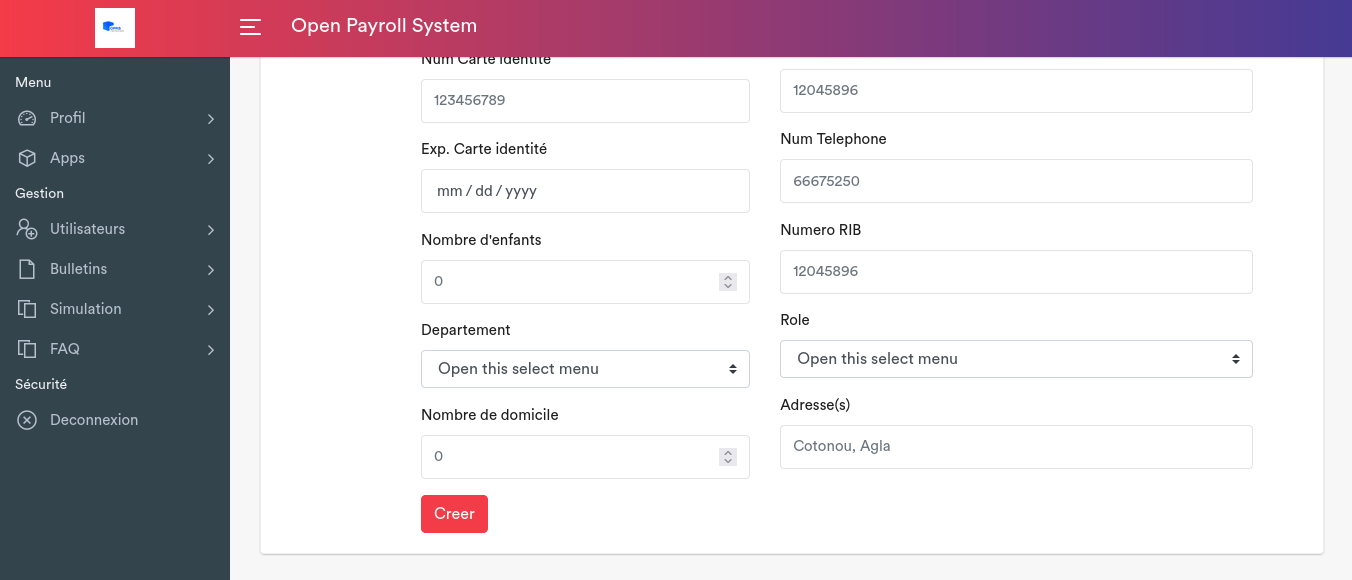
Users list page
Payroll management page
Requirements
You need to have the following requirements installed to run the project:
- composer
- php
- mysql
- phpmyadmin
Database
The database which is used in this project is called payroll and it is managed with mysql(community edition).
Installation
You can install the project by running the following command:
- git clone
- cd oprs_payroll_system
- composer install
- mv .env.example .env
- php artisan key:generate
- php artisan migrate
Usage
Once you have installed the application, you should run it with:
- php artisan serve
You can connect yourself by using the already given credentials.
Credentials
-
username: rootroot -
password: rootroot